
It is possible to use TorGuard proxy with Vuze for downloading BitTorrent files anonymously. This is important for keeping your IP address from being displayed to hosts who monitor and track connections. It can make downloading safer than it is to begin with.
Here are the instructions for Vuze proxy configuration:
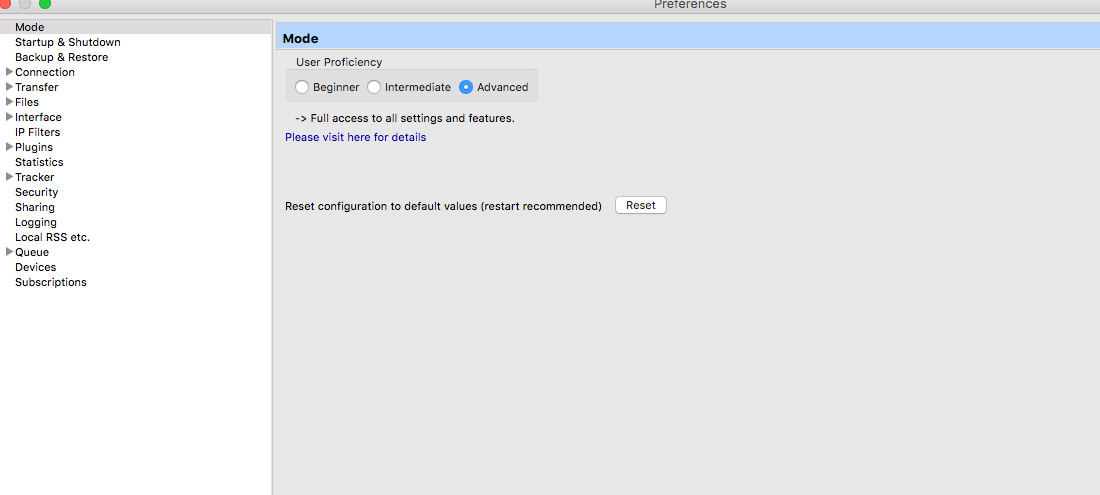
First, make sure you set the mode to "advanced" as seen below:
Click ‘Tool’s from the menu.
Click "Options…"
Click the box next to where it says "Connection" in the menu on the left side. This will open more options.
Underneath that, click ‘Proxy’.
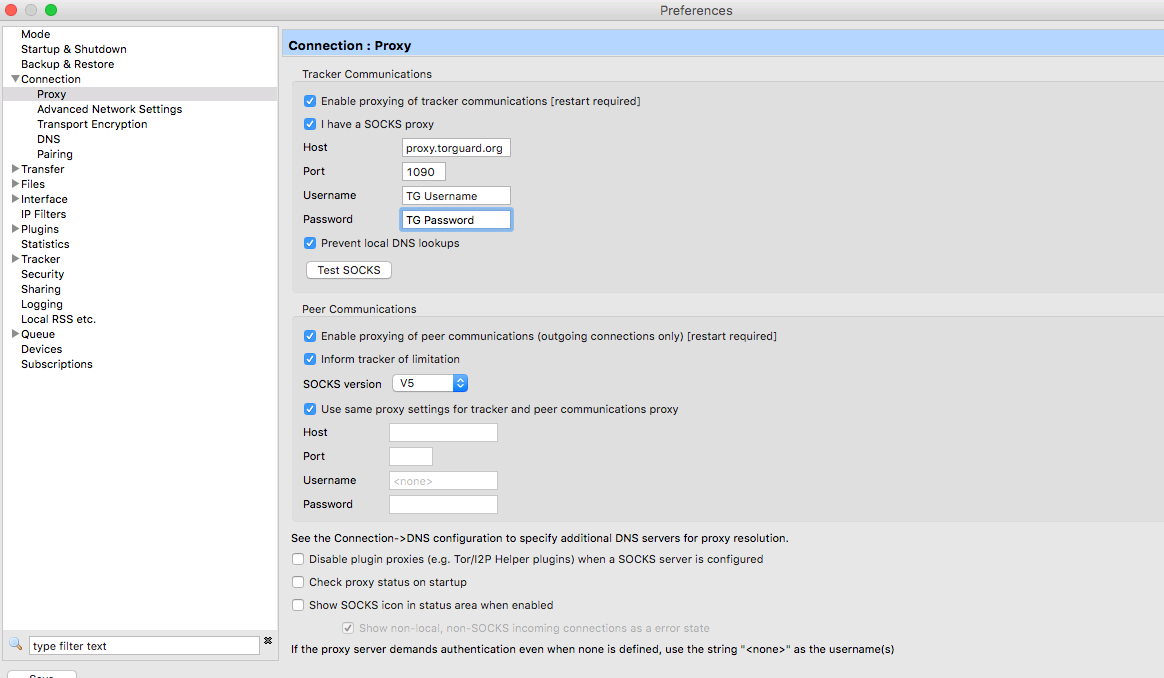
Tick the box that says ‘Enable proxying of tracker communications [restart required].
Tick the box that says ‘I have a SOCKS proxy’.
Where it says ‘Host’, enter proxy.torguard.org or proxy.torguard.io (If you want to use a specific IP you can find these HERE)
Where it says ‘Port’, enter the port 1080 or 1085 or 1090.
Where it says ‘Username’, enter your username that you choosen on signup - you can manage those here
Where it says ‘Password’, enter your password that you choosen on signup. - you can manage those here
Where it says "Prevent local DNS lookups" Check this.
Tick the box that says ‘Enable proxying of peer communications (outgoing connections only) [restart required]‘
Tick the box that says ‘Inform tracker of limitation’ if it is not already selected.
Where it says ‘SOCKS version, select V5
Tick the box that says ‘Use same proxy settings for tracker and peer communications proxy’. Optionally, don’t do this if a different one is being used for outgoing connections. In that case you would un-tick it and enter the proper settings in the boxes below.
Click Save on bottom left.
Click ‘File’ from the menu on the top left.
Click ‘Restart Vuze’. Wait for it and test the connection. If there are problems, un-tick the boxes in instructions 6 and 11 to disable the Vuze proxy and go back to normal.
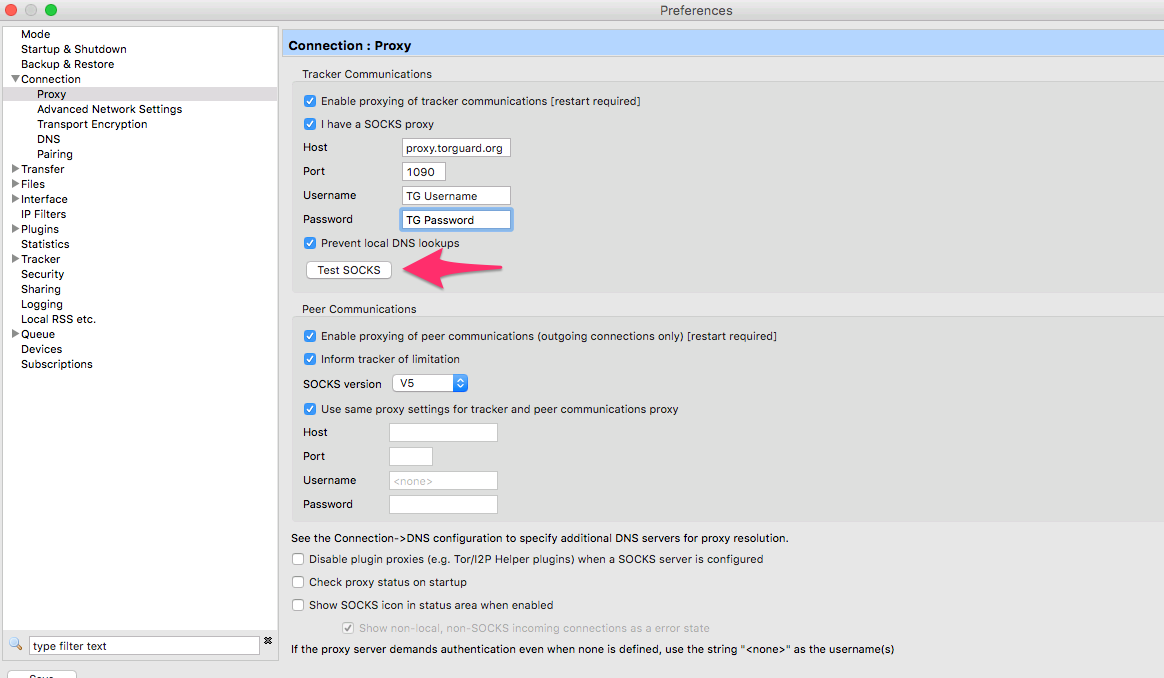
If you have problems downloading click "Test SOCKS" on this page:
It should show the output message in the screen below "Connection OK".
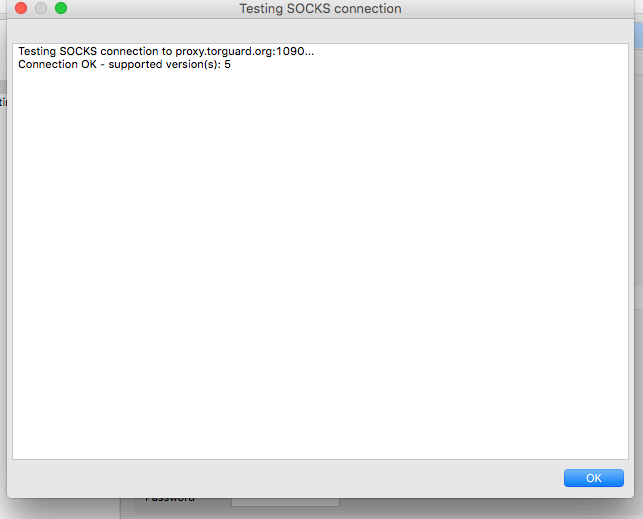
If any problems, report the output to our support desk here.